
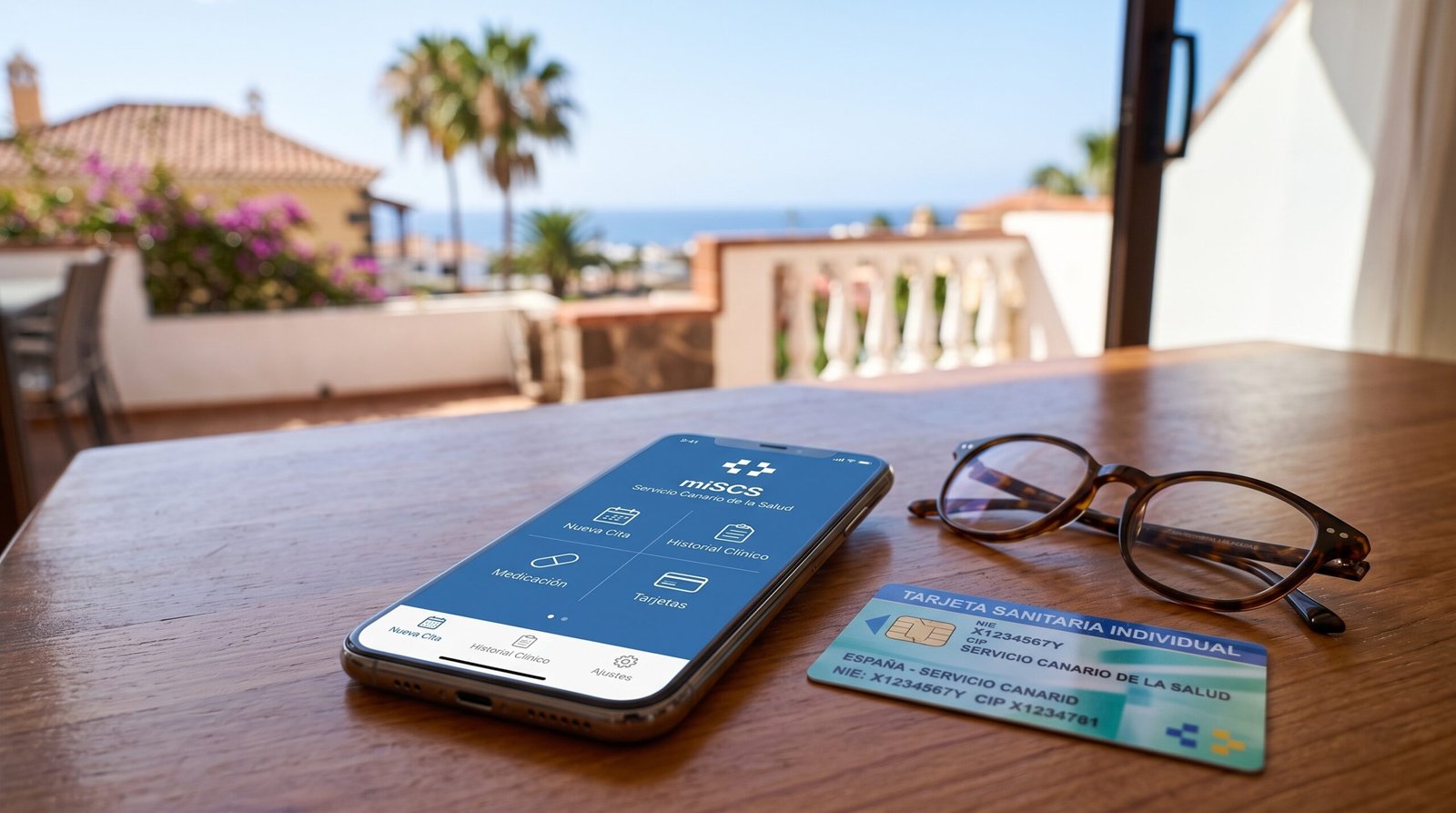
The miSCS Transition in Tenerife: Navigating the Canary Islands Health App Consolidation

The digital infrastructure of the Canary Islands Health Service (Servicio Canario de la Salud, or SCS) has undergone a major administrative shift. The regional health authority has retired two longstanding standalone applications—miCitaPrevia and miHistoria—centralizing all public healthcare operations into a single platform: miSCS.
For expatriates, residents, and property owners in Costa Adeje who rely on local health centres (Centros de Salud), this platform change alters how medical visits, diagnostic results, and prescriptions are managed. While consolidating services eliminates the need to maintain multiple tools, navigating an interface currently available only in Spanish requires a clear understanding of its authentication tiers and operational workflows.
The Architecture of the Transition
The decommissioning of miCitaPrevia (formerly dedicated to appointment scheduling) and miHistoria (the repository for clinical records) establishes miSCS as the unified gateway for regional public healthcare.
Users accessing the legacy applications are now redirected to download or update to the consolidated miSCS software, available across Android and iOS platforms. Beyond appointment logistics, the updated platform integrates:
- Digital Health Identification: An electronic version of the individual health card (Tarjeta Sanitaria Individual, or TSI).
- Clinical History: Immediate access to diagnostic test outcomes, laboratory blood work, and outpatient consultation reports.
- Pharmacological Records: Active treatment regimens and electronic prescription schedules (Receta Electrónica).
- Immunization & Allergy Profiles: Centralized tracking of administered vaccines and documented medical contraindications.
Dual-Tier Authentication: Understanding Access Requirements
The primary friction point for international users is the tiered authentication model. The application divides its architecture into two distinct security thresholds depending on the sensitivity of the data requested.
+-------------------------------------------------------------------------+
|                        miSCS Access Framework                           |
+------------------------------------+------------------------------------+
| Tier 1: Basic Operational Level    | Tier 2: Advanced Clinical Level    |
| (Primary Care Consultations)       | (Records, Tests, Prescriptions)    |
+------------------------------------+------------------------------------+
| * CIP (Health Card Code)           | * Cl@ve PIN / Cl@ve Permanente     |
| * Security Verification Code (CSV) | * Spanish Digital Certificate      |
| * No complex digital ID required   | * miIdentidad Digital profile      |
+------------------------------------+------------------------------------+
Tier 1: Primary Care Bookings (Basic Credentials)
To book, review, reschedule, or cancel standard appointments with a general practitioner (médico de cabecera) or nursing staff:
- Users do not need a complex electronic identity.
- Access requires only the personal health card number (CIP) alongside the short verification code printed on the physical card.
- Users can book both in-person consultations and telephone appointments directly through the interface.
Tier 2: Complete Medical Records (High-Security Identification)
Accessing clinical records, hospital discharge summaries, laboratory results, or full medication histories activates Spanish data privacy safeguards. Entry requires one of three certified electronic verification protocols:
- Cl@ve: The standard state electronic identity system (Cl@ve Móvil or Cl@ve Permanente).
- Digital Certificate: A recognized software certificate (such as FNMT) installed on the device.
- miIdentidad Digital: The regional digital credential issued by the Canarian administration, combining the user’s NIE, password, and designated card positions.
Step-by-Step User Workflow (Navigating in Spanish)
Because the interface is deployed exclusively in Spanish without an integrated English translation, foreign residents should follow this navigational sequence to complete core actions:
1. Initial Setup and Consent
- Launch the application and scroll to the bottom of the mandatory privacy policy (Política de Privacidad).
- Check the consent box (Acepto los términos y condiciones) and select Confirmar to proceed to the main dashboard.
2. Booking a Doctor’s Visit
- Initiation: From the home view (Inicio), tap Nueva Cita (New Appointment) located in the upper screen quadrant.
- Specialty Selection: Select the patient profile, then define the service from the dropdown menu:
- Medicina: General primary practitioner consultation.
- Enfermería: Nursing care (wound dressing, standard injections, regular monitoring).
- Matrona: Obstetric and prenatal care.
- Unidad de Salud Bucodental: Basic dental health services.
- Consultation Format: Choose between an in-person clinic visit (Cita presencial) or a phone consultation (Cita telefónica).
- Scheduling: The calendar display highlights available dates. Select the preferred slot, pick an allocated time window, and confirm the reservation.
3. Reviewing Records and Active Prescriptions
- Medical History (Historial Clínico): Located under the Informes section. This tab houses categorized PDFs of blood analyses, radiology assessments, and specialist notes.
- Prescriptions (Tratamiento / Medicación): This panel displays active pharmaceutical approvals, indicating exactly when repeat dispensations are redeemable at local pharmacies with your card.
Managing Family Care via “Mis Favoritos” (Linked Profiles)
A practical tool within miSCS is the Mis Favoritos / Perfiles Vinculados (Linked Profiles) configuration, found within the settings menu (Ajustes).
This functionality allows authorized family members, legal guardians, or caretakers to link secondary profiles to a single primary account. Once linked, users can toggle between their own profile and those of dependents, children, or elder family members to arrange consultations and supervise medical administration without logging in and out of different devices.
Strategic Summary for Costa Adeje Residents
The consolidation into miSCS establishes a modern, paperless link to public healthcare in Tenerife. While the initial setup requires handling Spanish interface terms and configuring national digital credentials like Cl@ve, completing this process ensures instant access to medical files, streamlined family management, and immediate appointment scheduling across the Canarian public health network.